
How to Search Hillsborough County Court Records
The main portal for case lookup is HOVER, short for Hillsborough Online Viewing of Electronic Records. The Florida Supreme Court has authorized the Hillsborough County Clerk of the Circuit Court and Comptroller, 13th Judicial Circuit, to make many court records, indexes, progress dockets, and non-confidential document images viewable over the web. Access runs under the state Standards for Access to Electronic Court Records and the Access Security Matrix. The same site offers five core search modes, plus links to new case listings, high-profile cases, and orders sealing or unsealing non-criminal files.
Have a case number, a citation number, or a full party name ready before opening the portal. The portal also accepts date ranges paired with a court type and a case type, which helps when the search is broad. A separate hearing lookup is built for court date searches. HOVER sets a 30-minute idle timeout, so plan ahead if a search may take time. The Clerk's Records and Reports hub links to HOVER, the Official Records index, eCertify, and the data files page.
- Open HOVER from the Clerk's records hub or go straight to the search page.
- Pick the search mode that fits the known facts: case number, citation, party or business, date range with court type and case type, or court hearing.
- Enter the value in the matching field and run the search.
- Scan the results for case number, parties, case type, court, and status, then click the magnifying glass next to the case to open the case detail.
- Open the progress docket to see filings, motions, orders, and hearings, then use eCertify if a viewable image needs to be certified.
The county's Official Records public search is a sister system that holds recorded deeds, plats, marriage records, and other instruments that are filed with the Clerk's Recording Department. Court files and Official Records overlap in places, since some court judgments are also recorded in the Official Records.
The Official Records index shows what a search return looks like for recorded instruments. The Clerk lets users search by name, by recording date, by document type, and by book and page when those values are known.
The lead-in pulls from the Clerk's Official Records search, which is the index for documents the Recording Department keeps.
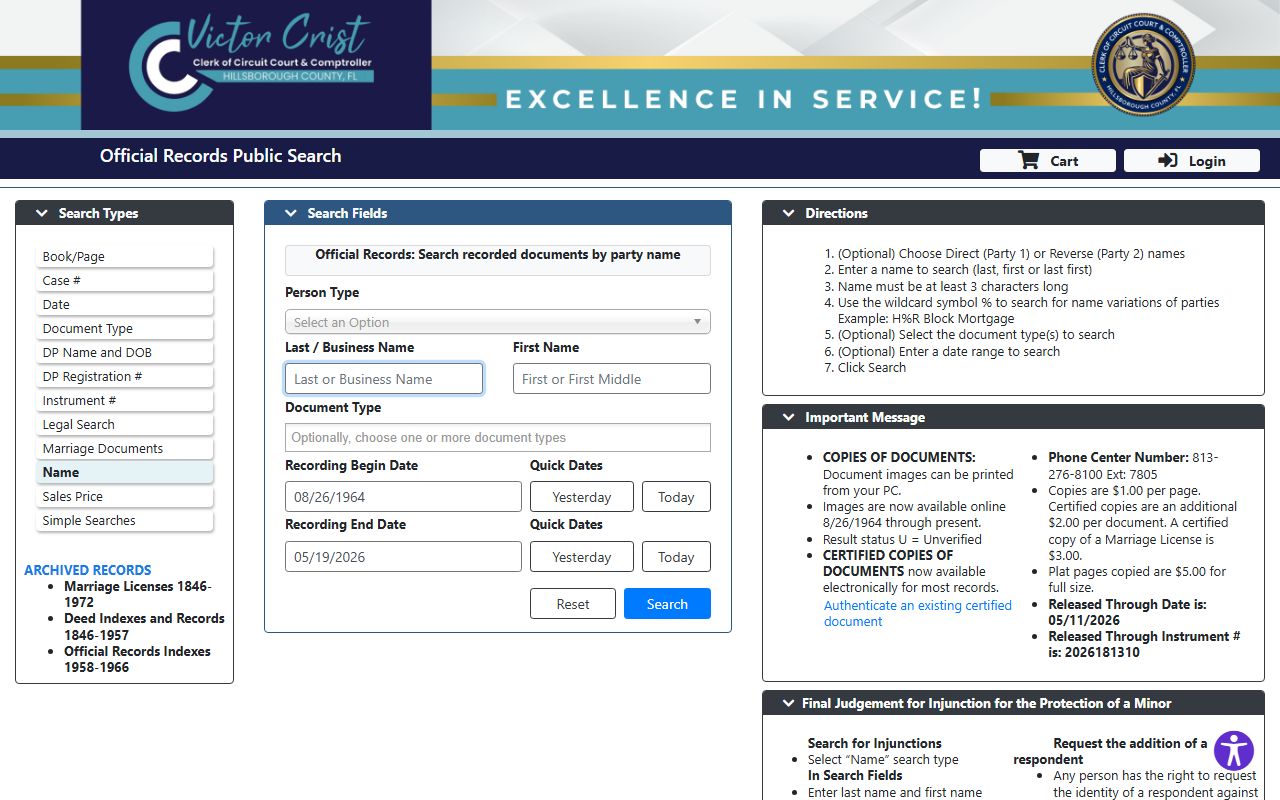
The page shows the search fields the Clerk exposes to the public, with a free index lookup and a paid eCertify path for certified images.
Hillsborough County Court Records Search Fields
HOVER does not load every dropdown option into static page text, so the field guide below covers what the Clerk exposes on the public landing and FAQ pages. Each tab is a separate search mode, and most fields are optional until a mode requires them. The party name search returns a long result list when only a last name is entered, so adding a date range or case type narrows the hits. Case number and citation lookups are the quickest path when those values are known.
| Field Label | Type | Required | Notes / Format |
|---|---|---|---|
| Search by Case Number | Tab / text | Yes within mode | Accepts case number or Uniform Case Number; exact mask not posted publicly. |
| Search by Citation Number | Tab / text | Yes within mode | Used for traffic and civil-traffic citation lookups. |
| Search by Party or Business Name | Tab / text | Yes within mode | Person or business name; partial names allowed but produce wider lists. |
| Search by Date Range, Court Type, Case Type | Tab / advanced | Yes within mode | Combine a date range with a court type and case type filter to narrow broad searches. |
| Court Hearing Lookup | Tab / calendar | Yes within mode | Looks up upcoming hearings; used when the search target is a court date. |
| Register to be a HOVER User | Link | Optional | Registered users get added access under the Access Security Matrix. |
| New Case Listing Public Data Files | Link | Optional | Bulk data file listing kept apart from the case-search tabs. |
| High Profile Cases | Link | Optional | Separate landing page for cases the Clerk flags as high profile. |
A "Case Not Found" message in HOVER can mean two things. The case may have been sealed or made confidential, or the case number may be off by a digit. Try the party search to confirm a match before assuming the file does not exist. Pro se litigants and attorneys of record see more case detail than anonymous users.
Types of Hillsborough County Court Records
The Clerk keeps records for both Circuit Court and County Court matters. Circuit Court handles felony cases, family law, probate and guardianship, juvenile cases, mental health, and circuit civil suits over the state-set value. County Court handles misdemeanors, traffic, small claims, evictions, and county civil cases up to the statutory limit. The same HOVER portal indexes files from both tiers, but document access shifts by case type and by who is logged in.
Each record type below is searched through HOVER, with some image-level limits for sensitive files. Many family, juvenile, probate, mental health, and domestic violence records hold protected facts. The Florida access rule and Chapter 119 statutes set the line between public and confidential.
- Circuit civil: larger civil suits, real-property and foreclosure cases, injunctions, declaratory judgments, and writs.
- County civil: small claims, evictions, landlord-tenant disputes, and lower-value contract or debt cases.
- Criminal: felony cases in Circuit Court and misdemeanors in County Court, with arrest documents, charging papers, plea papers, and sentencing.
- Family: divorce, custody, child support, paternity, and domestic violence injunctions, with tight image-access rules.
- Probate and guardianship: estates, wills, summary and formal administration, trusts, and guardianships for minors or incapacitated adults.
- Traffic and civil traffic: citations, court dates, fines, points, and school elections, with civil traffic handled at a dedicated downtown location.
- Juvenile delinquency and dependency: kept confidential under section 985.04 and only viewable by attorneys of record or pro se parties.
Marriage records sit in Official Records rather than the case search, since the Clerk issues licenses under Chapter 741 as the state's agent. Divorce records, by contrast, are court files and live in HOVER. The split confuses some searchers, so it helps to know which database holds which document type before starting.
What Hillsborough County Court Records Show
Each case file has a standard set of fields that the Clerk indexes for search. Some fields appear in the result row, and some only show up after opening the case detail. Sealed or confidential fields are flagged at the docket level. The field table below maps the most common values a user will see when a case is open in HOVER.
| Field | What It Shows |
|---|---|
| Case Number | The Clerk's local case number, often paired with a Uniform Case Number used statewide. |
| Court and Division | Circuit or County Court, plus the case type division such as Family, Probate, or Criminal Felony. |
| Filing Date | The date the case opened with the Clerk's office. |
| Parties | Plaintiff and defendant, or petitioner and respondent, plus the state when a case is criminal. |
| Attorneys | Counsel of record on each side; pro se filers show as self-represented. |
| Judge and Hearings | Assigned judge, hearing officer, courtroom, and the date and time of upcoming court events. |
| Progress Docket | The chronological log of filings, motions, orders, notices, and dispositions in the case. |
| Documents | Non-confidential pleadings, motions, orders, and judgments that the Clerk has made viewable. |
| Financial | Filing fees, fines, court costs, restitution, registry funds, and bond ledger entries. |
| Disposition | The case outcome such as judgment entered, dismissed, adjudicated, or transferred. |
| Status Flags | Open, closed, sealed, confidential, or expunged markers controlling what the public can see. |
Short note on charges. A criminal case shows the filed charge, not a finding of guilt. The disposition field is the place to look for the actual outcome of a case. The criminal records page has more detail on how arrest and charge data flow into a case file.
The Florida Supreme Court oversees the rules that shape what gets posted online and what stays in the courthouse only. A look at the state high court page helps explain why the access matrix exists.
The state high court hub at the Florida Supreme Court publishes the access standards the Clerk follows.
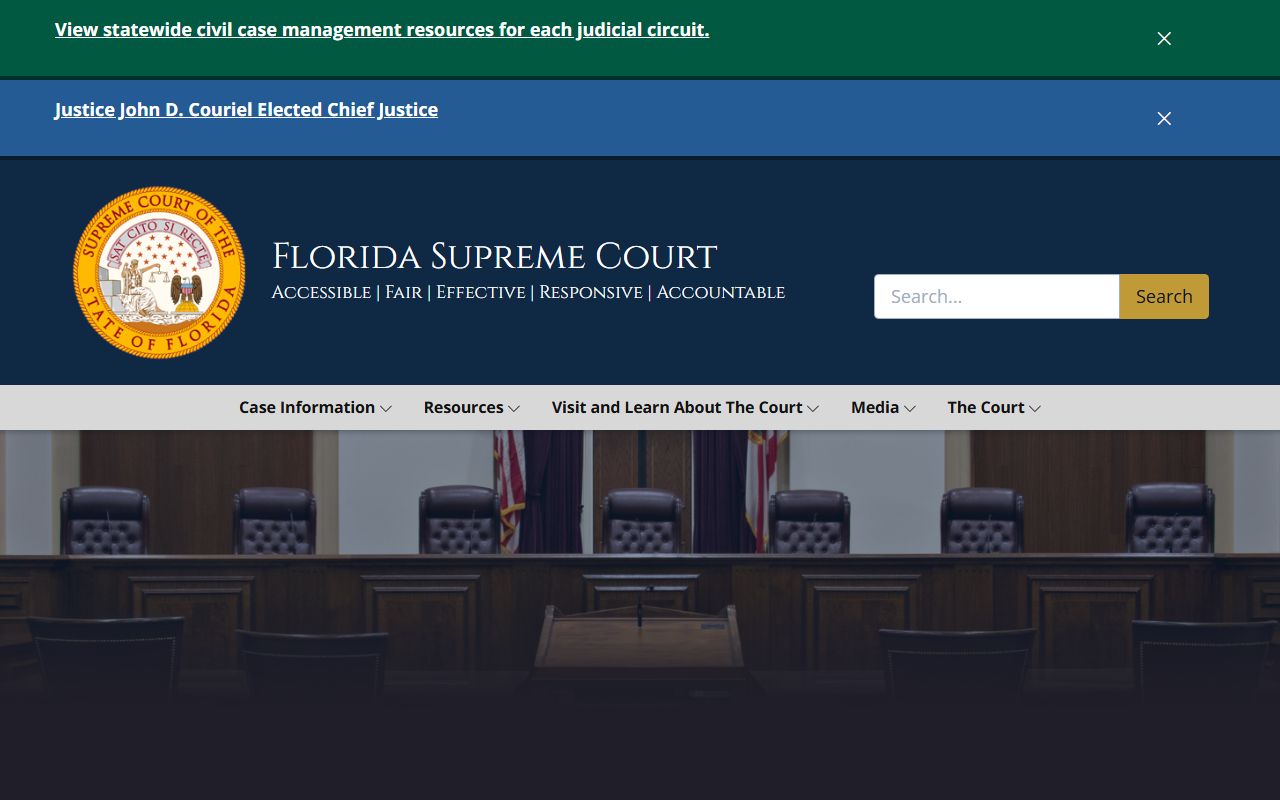
The site links to the rule that controls public access to court records, and the Clerk cites that rule on the records hub when explaining what users can and cannot view online.
Public Access Framework for Hillsborough County Court Records
Florida law starts from the presumption that government records are open. For executive and local-agency files, the controlling chapter is Florida Statutes section 119.01, which sets the general public-records policy. The inspection and copying rules sit at section 119.07, and the general exemptions live at section 119.071. For court files, the controlling source is Florida Rule of General Practice and Judicial Administration 2.420. The rule sets the line between court records and confidential court records and defines what a custodian, filer, and affected non-party must do.
The Clerk holds two roles at once. When the office keeps court files, it follows the judicial branch rules. When the office keeps Official Records, deeds, and county records, it follows Chapter 119 and the recorder statutes. The records hub on the Clerk's site cites both. Anyone can ask for a court record. ID is not required for a basic search, but ID and a notarized form are required for some confidential-information removal requests under section 119.071. Clerk service fees are set by section 28.24 and listed on the office's fees and fines page.
Online image display has its own rule. Section 28.2221 restricts what county recorders may post on a public website, including military discharge papers, death certificates, and court file images that fall under family, juvenile, or probate rules. The Clerk's Official Records page quotes that limit to explain its subscription service.
The rule sits behind much of what a user sees and does not see on HOVER. The image below shows the official posting of Rule 2.420.
The state's Rule 2.420 PDF sets the framework for public access to judicial branch records.
The rule is what the Clerk points to when an image is blocked, when a docket entry is sealed, or when a record-removal request needs a statutory basis.
Note: Most Hillsborough court records are open, but family, juvenile, probate, mental health, and sealed criminal files have stricter image rules.
Records That Are Sealed or Confidential in Hillsborough County
Several record types are kept apart from open public view. Sealed and expunged criminal files are governed by section 943.0585 for expunction and section 943.059 for sealing. Juvenile delinquency and dependency files fall under section 985.04. Adoption files are confidential under section 63.162 and need a court order for inspection. Mental health clinical records and family-law files have their own image-access limits in HOVER. Probate and guardianship files are restricted because they hold financial, medical, and personal facts about the decedent or the ward. Domestic violence injunctions hold protected victim and safety data.
A person who wants to view a sealed file usually needs a court order or proof of a statutory right of access. The first step for a criminal sealing or expunction is the eligibility process with the Florida Department of Law Enforcement. Once FDLE issues the eligibility certificate, the petition is filed in the court that handled the case. The Clerk charges a fee for sealing a court file or for an expunction, plus copy and certification costs. If a court grants the order, the Clerk, the arresting agency, and the state criminal-history repository all process it. After the order, online portals may show no record or a restricted-access message rather than a full case page. The public records page covers the general Chapter 119 request path for non-court records.
The image rule for Official Records sits at section 28.2221. Online display of court file records governed by family, juvenile, or probate rules is restricted, and the Clerk's Official Records page quotes the statute to explain its limits.
The section 28.2221 page on the Florida Senate site is the source for the online-image restriction.
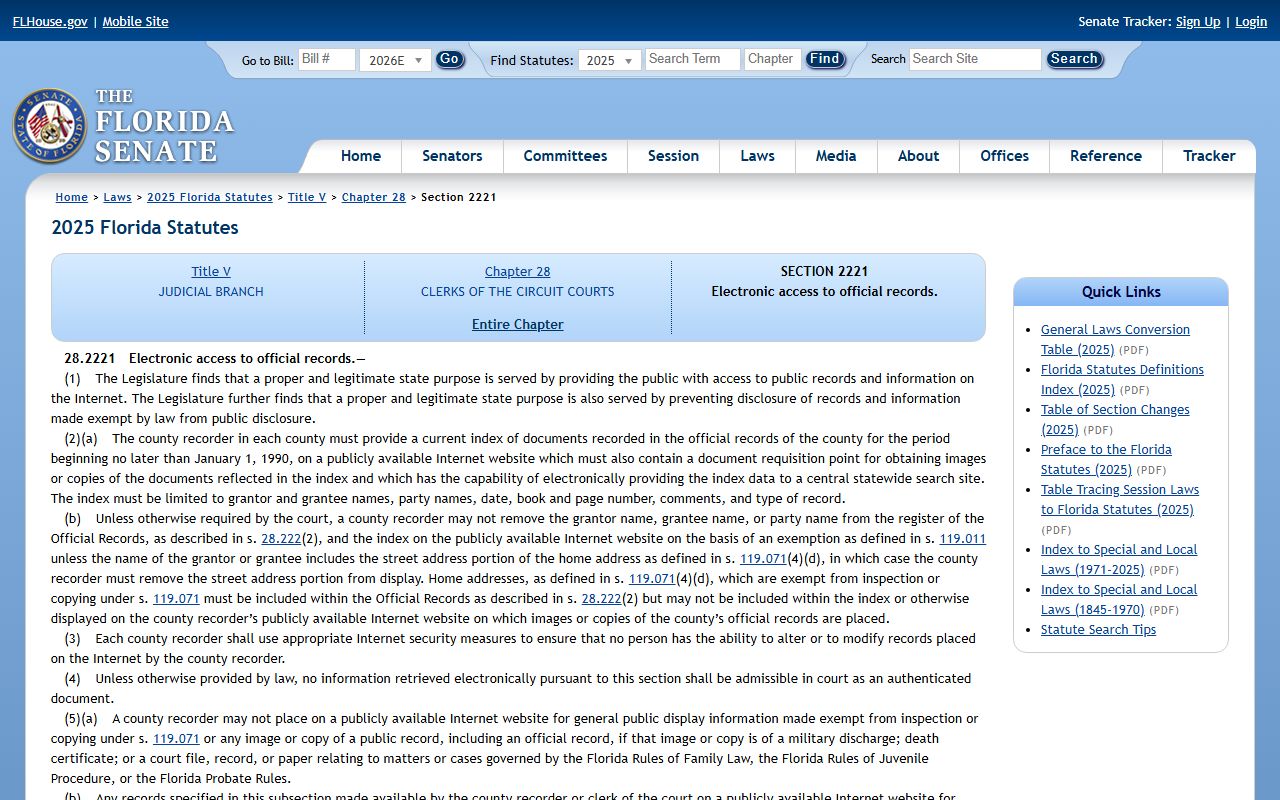
The statute is the reason a search may return a hit in the index without showing the full image to an anonymous user.
In-Person Court Record Requests
Anyone who needs an older file, an archived record, or a record with restricted online access can visit the Clerk in person. The Clerk's downtown records location at the courts building serves walk-in record viewing and notarized information-removal requests. Office hours are weekdays only, and ID is needed for some service types. Calling ahead helps when the request involves a sealed file, a removal request, or a multi-volume estate. The Clerk's public records request page lists the email contacts for the records library, recording, and exempt-fee user channels.
For a quick lookup, the felony courthouse, civil traffic court, and Plant City courthouse each have public terminals and counter staff. Bring the case number when possible, and check the Clerk's locations list before driving in, since some service types are handled at only one building. Online copies through eCertify carry a vendor charge plus a per-document Clerk fee and a per-page fee, and a card-processor surcharge applies on top.
Clerk of the Circuit Court and Comptroller
George Edgecomb Courthouse
800 E. Twiggs Street
Tampa, FL 33602
813-307-7180 (HOVER support)
Mon-Fri, 8:00 a.m. to 5:00 p.m.
Note: Plan an in-person visit for sealed files, archived records, or any image that does not load through the public HOVER view.